Now that you know what CFOP (Código Fiscal de Operações e Prestações) is and why it matters in Brazil, it’s time to understand how SAP automatically determines the correct CFOP code for incoming and outgoing Nota Fiscal (NF) documents.
This article explains the key parameters involved in CFOP determination and how SAP reads them to ensure your business stays compliant with Brazilian tax regulations.
What Drives CFOP Automatic Determination in SAP?
Key Parameters for CFOP Determination
1. Direction of Movement
Indicates whether the movement is inbound or outbound and where it’s coming from/going to:
-
1– Incoming (same state) -
2– Incoming (different state) -
3– Incoming (from abroad) -
5– Outgoing (same state) -
6– Outgoing (different state) -
7– Outgoing (to a foreign country)
2. Material Usage
Defined in the material master:
-
0– Resale -
1– Industrialization -
2– Consumption -
3– Fixed Asset
3. Material CFOP Category
Also maintained in the material master:
-
0– Goods (materials) -
1– Electricity -
2– Communication -
3– Transportation -
4– Livestock or animals
4. Nota Fiscal Item Type
Defines the type of item in the NF and plays a critical role in CFOP determination. Examples:
-
01– Standard Item -
31– Subcontracting Invoicing Item -
41– Future Delivery Item without ICMS -
51– Consignment Invoice Item -
61– Third-Party Invoice Item from Vendor
(There are over 20 possible types—see SAP Note 571848 for a full list.)
5. Produced In-House Indicator
Located in the material master:
-
X– Produced in-house -
(Blank) – Purchased/externally manufactured
6. Customer CFOP Category (For SD Only)
Defines the customer’s classification:
-
0– Industry (cooperative) -
1– Electric Utility -
2– Communication Company -
6– Non-taxpayer Customer -
9– Producer Establishment
(Many others are possible depending on industry.)
7. Special Case Flag for Substituição Tributária or ISS
-
–– No ST -
1– With Substituição Tributária -
2– Services Subject to ISS Tax
NF Item Types
Even with all the standard parameters, Brazil’s tax requirements are complex. That’s why SAP uses the Nota Fiscal Item Type as an additional driver for CFOP determination.
You can assign the NF Item Type in four places:
-
SD Item Category Assignment (
J_1BSDICA) -
MM-IV Nota Fiscal Relevance (
J_1BIM02V) -
NF Type Configuration
-
Logistics Invoice Verification (LIV)
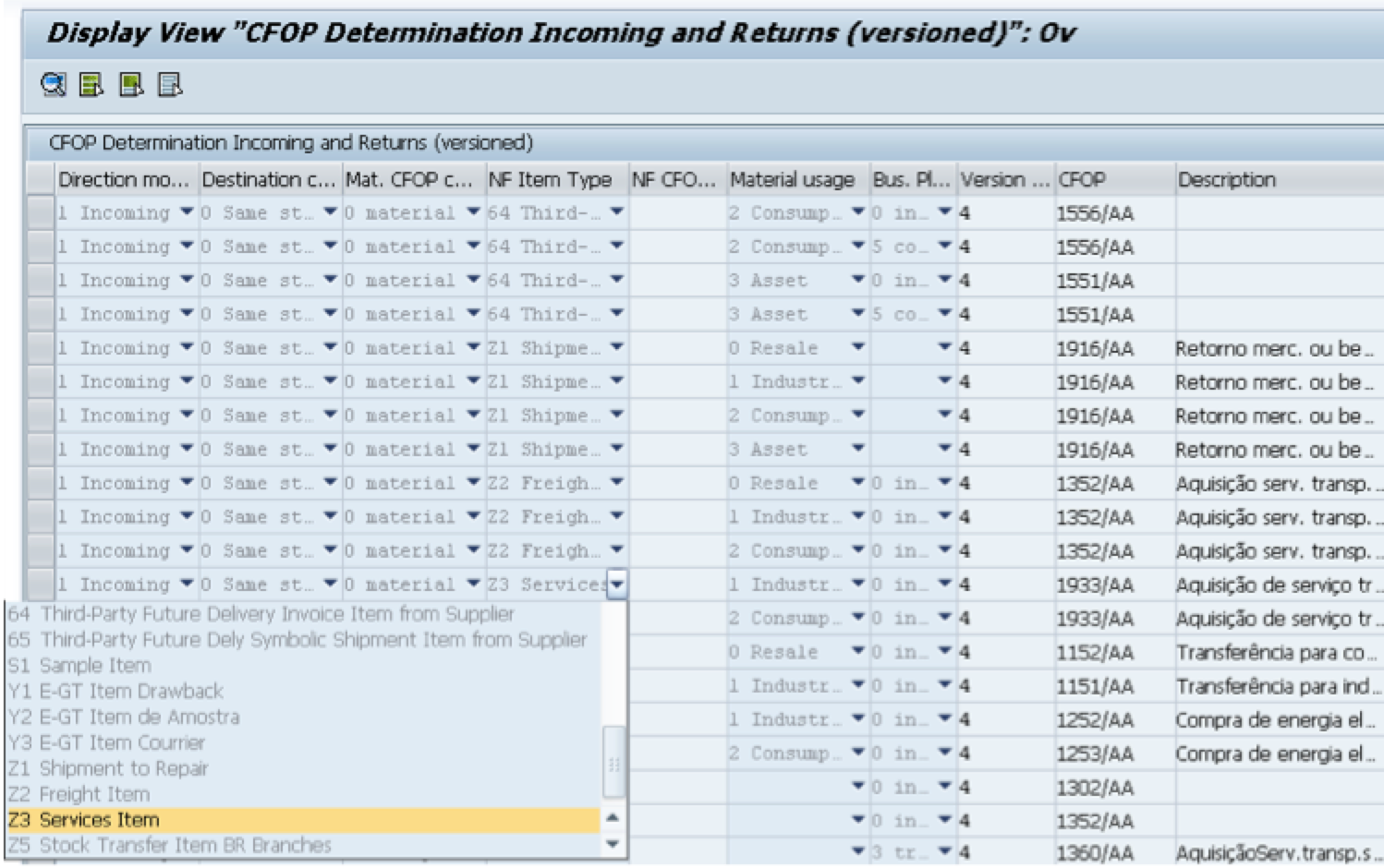
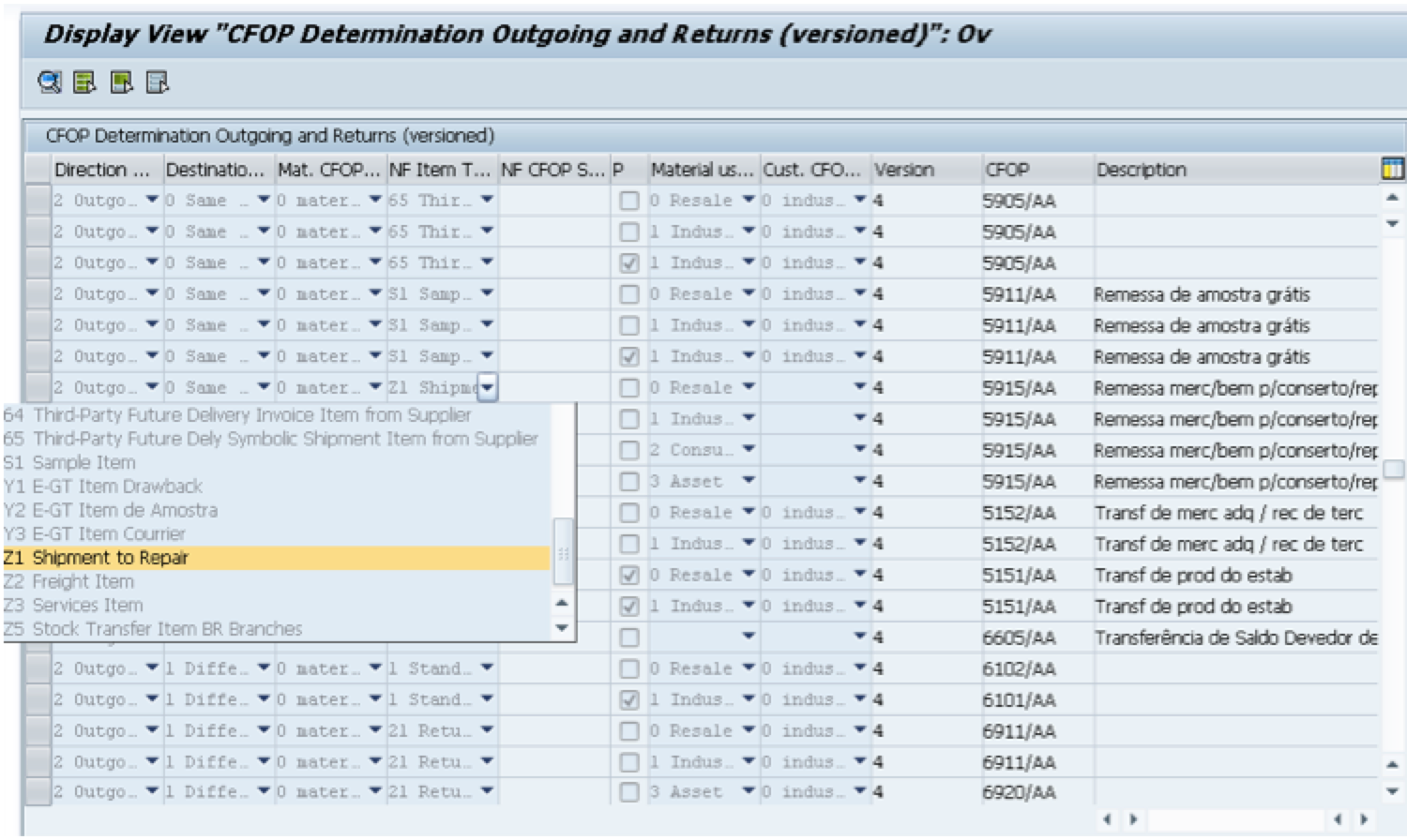
Once the NF Item Type is determined, it is used to match against entries in the CFOP determination tables:
-
J_1BAON– For Goods Receipts -
J_1BAPN– For Goods Issues
If the correct combination of parameters (including NF Item Type) exists in these tables, SAP will assign the CFOP automatically to the incoming or outgoing NF document. Let’s take a look on each of the configurations where the nF Type can be assigned:
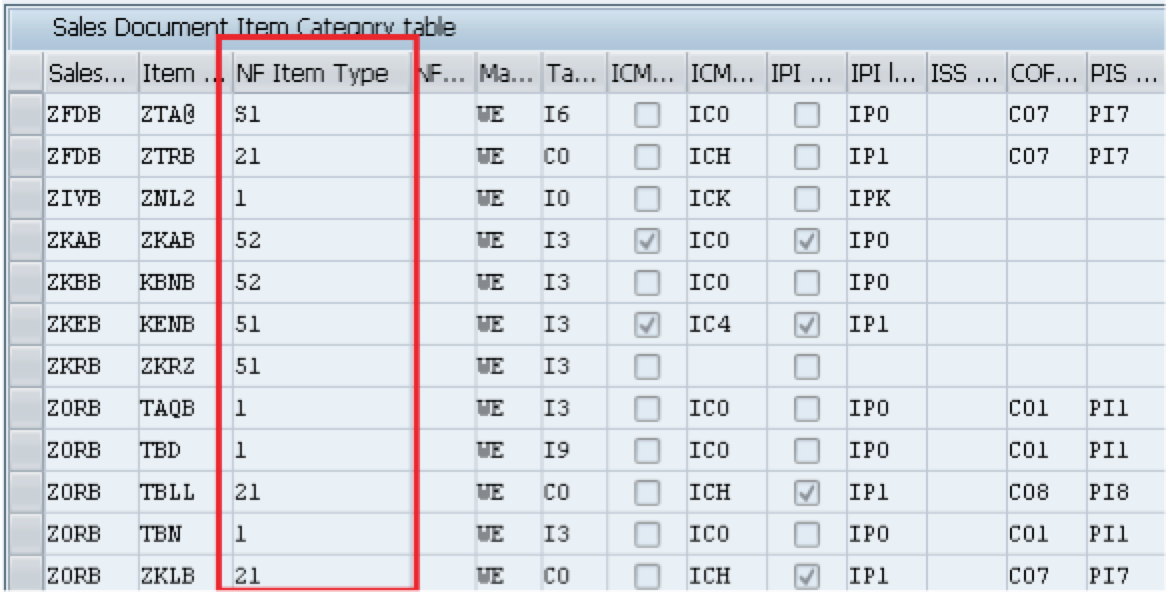
1 – SD Item Category Table (J_1BSDICA):
This table is used to assign a Nota Fiscal (NF) Item Type and a main partner function (such as the ship-to party) to a specific combination of sales order type and item category. Additionally, it allows you to define which SD tax codes should apply and whether the system should calculate ICMS and IPI taxes statistically.
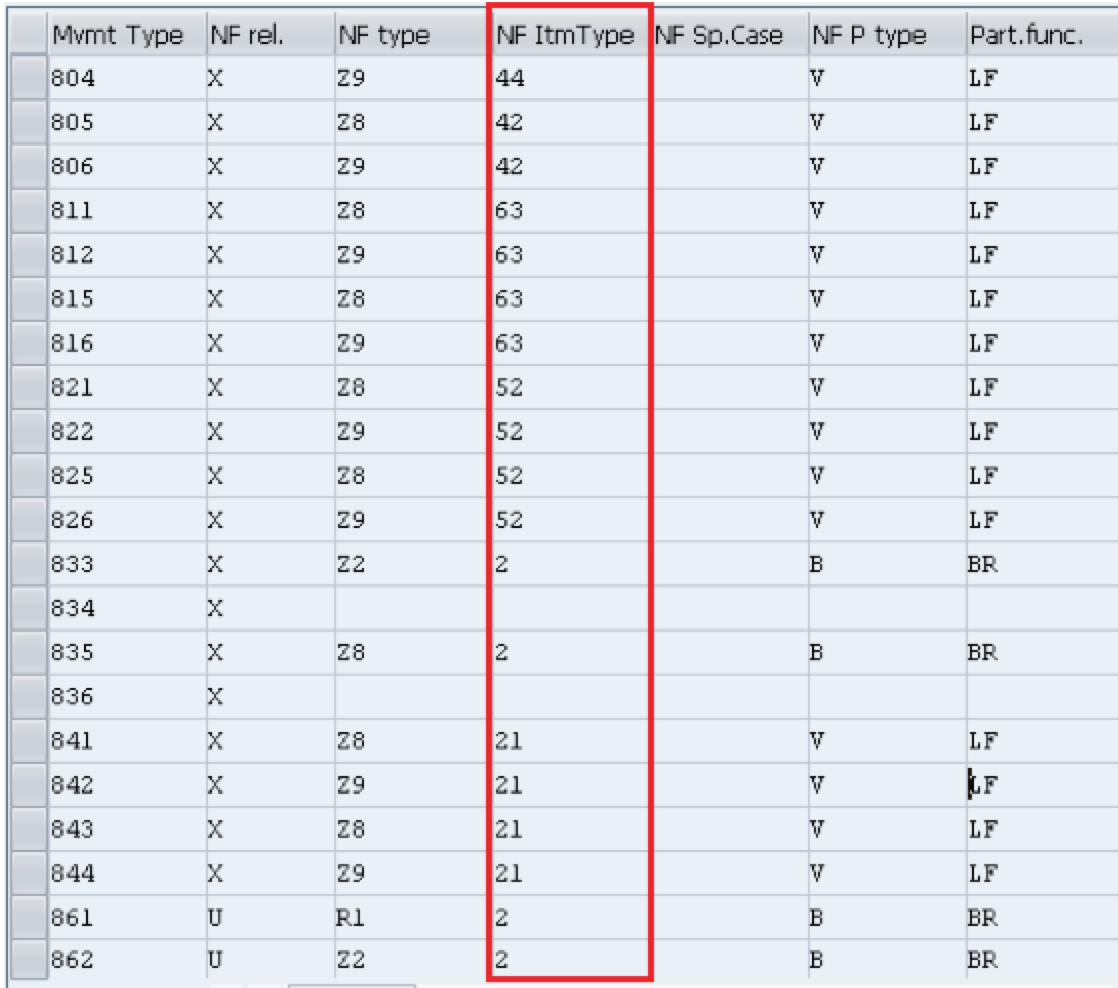
2 – MM-IV Nota Fiscal Relevance (J_1BIM02V):
In this table, you can define whether each MM-IV movement type is relevant for Nota Fiscal processing. You can also assign the appropriate Nota Fiscal type and the corresponding Nota Fiscal Item Type for each movement.
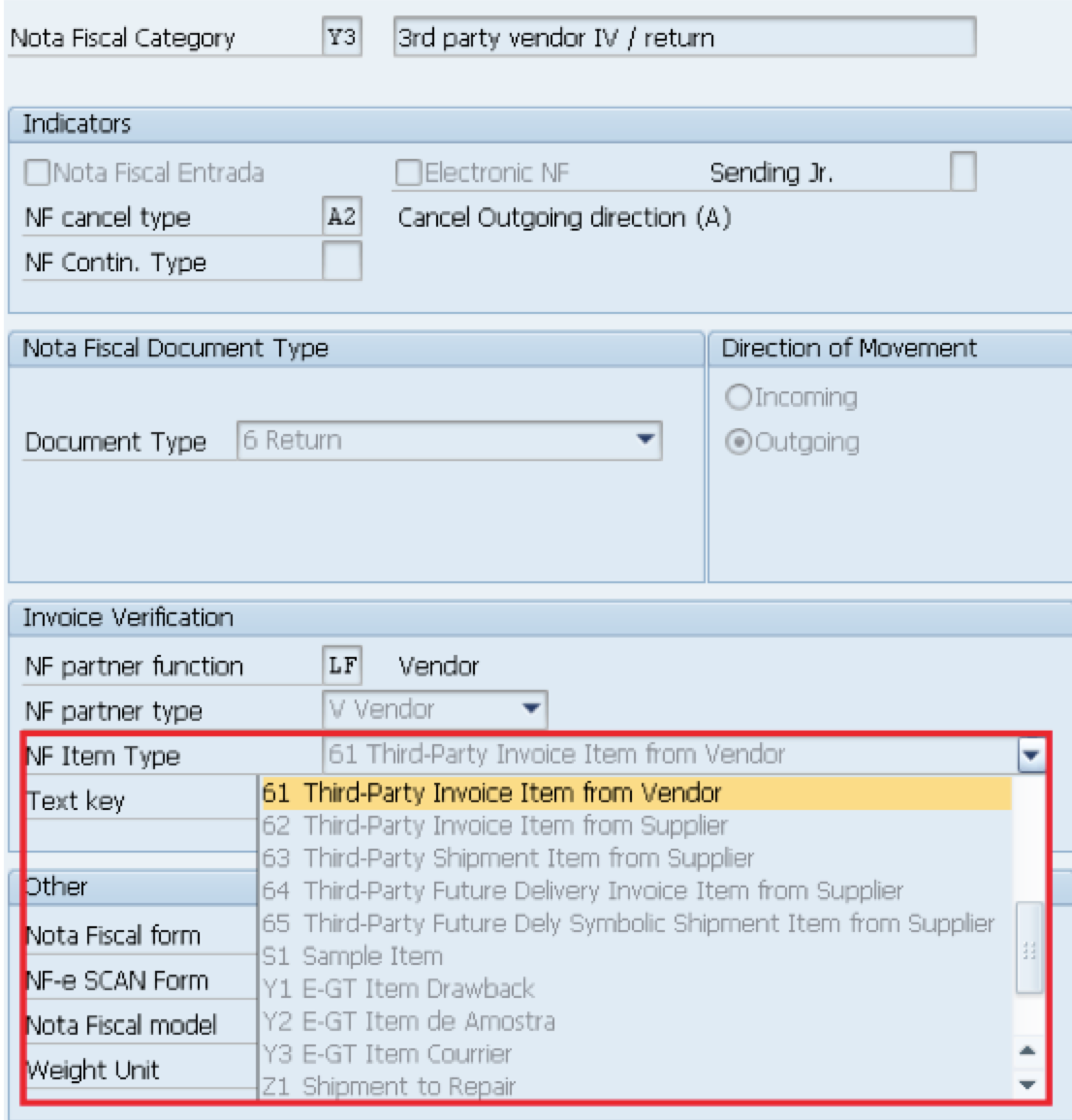
3 – NF Type
The Nota Fiscal Type is also responsible to determine::
- Whether the transaction is incoming or outgoing.
- If the document refers to goods, services, returns, or stock transfers.
- The applicable CFOP determination rules.
- The structure and validation of the Nota Fiscal (NF).
- Which fields are required, optional, or not used (e.g., ICMS, IPI, ISS taxes).
- How the tax calculation should behave in the system.
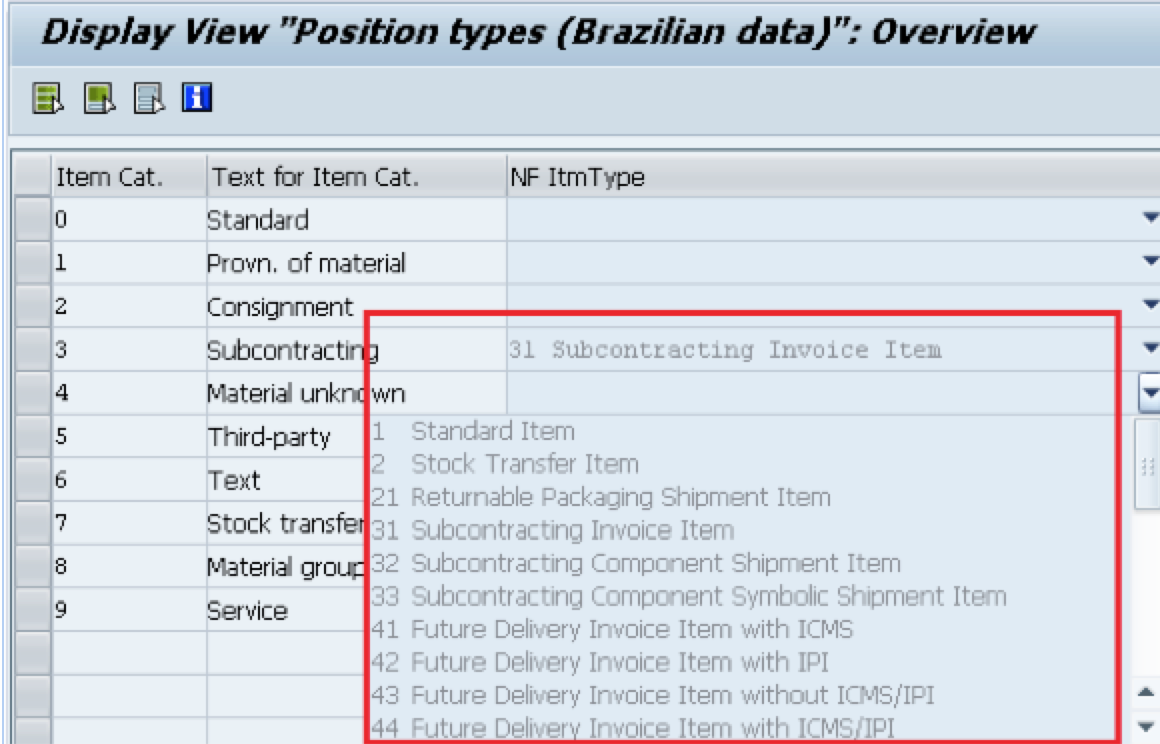
4 – Logistics Invoice Verification (LIV):
In this step, the system assigns Nota Fiscal item types based on the purchase order item category. This configuration ensures that the correct fiscal classification is applied during invoice verification, supporting accurate tax calculation and CFOP determination.
Once the NF Item Type is determined, it is used to match against entries in the CFOP determination tables:
-
J_1BAON– For Goods Receipts -
J_1BAPN– For Goods Issues
If the correct combination of parameters (including NF Item Type) exists in these tables, SAP will assign the CFOP automatically to the incoming or outgoing NF document.
Real-Life Application Example
Let’s say you’re receiving a machine from another state to be used as a fixed asset. Based on the incoming direction (code 2), material usage (3 = fixed asset), and item type, SAP will pull the correct CFOP (e.g., 2553 – Purchase of asset from another state) during goods receipt or LIV.

In our next blog post, we’ll walk you through how to create and manage custom NF Item Types in SAP and show how to link them to your business processes for CFOP determination.
Disclaimer
The information provided in this article is accurate as of the date of publication. However, both SAP software and Brazilian tax legislation are constantly evolving. Please consult updated SAP Notes, a certified localization expert, or your tax advisor to ensure compliance with the latest requirements.

Copyright Notice: © Leo Anderson and SAPBR.COM (SAP Brazil) WordPress Blog, 2013.
Reproduction or use of this material without the express written permission of the blog’s author and/or owner is strictly prohibited. You are welcome to share brief excerpts or link to content, provided that full credit is given to Leo Anderson and SAPBR.COM, along with a clear and direct link to the original post.

